AI Roblox tycoon maker

Roblox tycoon generator: plots, droppers and an economy you can tune

Write down the tycoon you have in mind, a factory, a bakery, a space mine, and the AI assembles the place around it: claimable plots, droppers that spawn product, conveyors, collectors, purchase buttons and the server scripts that keep the money honest. You get a single .rbxlx that Roblox Studio opens with a double-click.

Free to start · No credit card

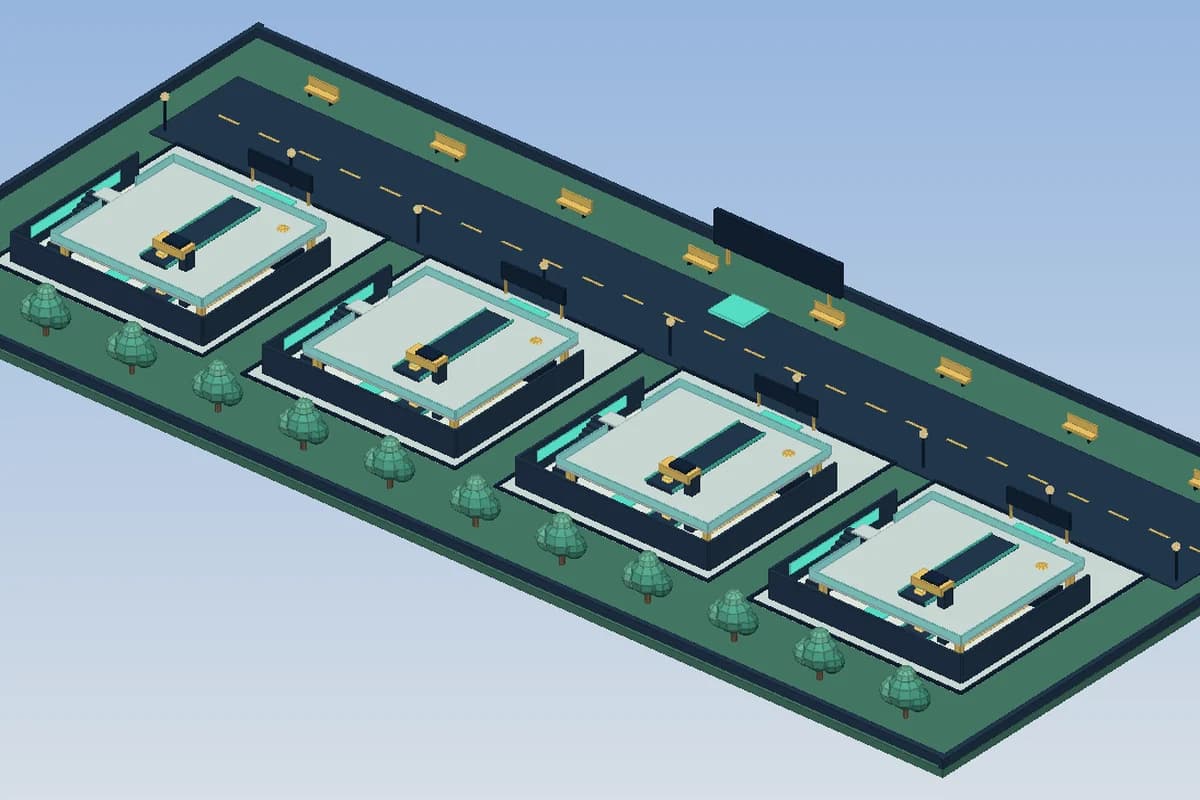
A generated cash tycoon with four player plots along a road, droppers, conveyors and trees

The whole loop, already wired

Claim a plot, earn from droppers, buy the next machine, upgrade, rebirth. Every step is connected before you open Studio.

Prices live in one module

Costs, income per drop, upgrade multipliers and rebirth thresholds sit in a shared Config ModuleScript you can rebalance in seconds.

Cash is decided by the server

Buttons only send a request. The server checks plot ownership and balance before anything is bought, so a modified client cannot print money.

Progress that survives a rejoin

Saving goes through DataStores wrapped in pcall, with a session profile as fallback while the place is not yet published.

How a tycoon game is put together

Under the theme, almost every Roblox tycoon runs on the same engine. A player walks onto an empty plot and claims it. A first dropper starts producing small parts that slide along a conveyor into a collector, and each part that lands adds money to a counter. That money buys buttons on the floor, each button reveals a new machine or wall, and the plot slowly turns into a factory. When growth slows, a rebirth resets the plot in exchange for a permanent multiplier.

The generator writes each piece of that chain as part of one place, so they talk to each other from the first test:

  • Plots: a fixed number of bases along a road or around a hub, each with a claim pad and an owner value set by the server
  • Droppers and conveyors: parts spawned on a timer, pushed toward a collector that turns each drop into cash
  • Purchase buttons: pads with a price label that unlock the next dropper, wall, floor or upgrade in a set order
  • Upgrades: faster droppers, more valuable drops, a second conveyor lane or a walk speed boost
  • Rebirths: reset the plot and money, keep a growing multiplier, and show the rebirth count in leaderstats

Balancing the economy without touching every script

A tycoon lives or dies on its pacing. If the third button costs too much, players quit before the plot looks interesting; if it is too cheap, they finish everything in ten minutes. Tuning that curve means changing dozens of numbers, and the worst place to keep them is scattered across the dropper, button and rebirth scripts.

Generated tycoons keep every number in a Config ModuleScript in ReplicatedStorage: the price of each button, the value of a drop, the spawn interval, the upgrade multipliers and the money required for a rebirth. Server and client both read it, so the label on a button always shows the same price the server charges. To make the early game faster, you edit a few lines in one file, or ask the AI in the editor to lower the first five prices by a third, and the type check runs again on the result.

Several players, several plots, one set of rules

A tycoon server usually hosts four to eight players, each building on their own plot. That raises questions a single-player prototype never meets: what happens when someone steps on another player's button, when a player leaves halfway through, or when two people try to claim the same base at the same moment.

The answer in generated code is that the server owns plot state. When a claim pad is touched, the server checks that the plot is free and that the player has no other plot, then records the owner. A purchase request arriving through a RemoteEvent is accepted only if it comes from that owner, if the button is next in the order and if the balance covers the price from Config. When the owner leaves, the plot is cleared and released for the next player. A LocalScript never adds cash or unlocks a machine by itself; it shows the HUD, the prices and the effects.

Saving progress with DataStores

Players expect to find their factory where they left it. The generated save code stores cash, purchased buttons, upgrades and rebirths per player through a DataStore, and every read or write is wrapped in pcall so that a Roblox service hiccup logs a warning instead of crashing the server or wiping a profile.

There is one condition Roblox imposes: DataStores only answer in a place that has been published, with Studio Access to API Services turned on in Game Settings. Before that, the scripts fall back to a session profile, which means the tycoon is fully playable in Studio from the first Play, but progress resets when the test ends. Publish once, enable API access, and the same code starts saving for real.

Writing a prompt that gives a good tycoon

The AI fills gaps with sensible defaults, yet the result gets much closer to your idea when the prompt answers a few questions. What is being produced, and what does a drop look like? How many plots should the map have, and how are they laid out? How many buttons before the first rebirth, and what should the rebirth multiplier be? Is there a shop for upgrades, a second floor, a daily reward?

Numbers are welcome. Saying that the first dropper earns 1 coin every 2 seconds and the last button costs 250,000 gives the generator a curve to fit instead of a guess. You can stay vague on visuals: the map is built from parts, Neon, lights and UI frames, and you can restyle it later in the editor or in Studio. Meshes, images and audio uploaded by others are never referenced through invented asset ids.

How it works

  1. 1

    Describe your tycoon

    At /dashboard/new/roblox, explain the product, the number of plots, the button order and the rebirth rule. One daily generation is used.

  2. 2

    Review it in the editor

    Check the plots in the 3D preview, read the scripts, and ask the AI to rebalance prices or add a machine.

  3. 3

    Play it in Studio, then publish

    Download the .rbxlx for free, press Play (F5), test with a local server for several players, then File > Publish to Roblox.

Three tycoon prompts to start from

Classic cash factory
A cash tycoon with 6 plots along a straight road. Each plot starts with one dropper that makes a gray block worth 1 coin every 2 seconds, a conveyor and a collector. 20 purchase buttons in order unlock droppers, walls, a second floor and a faster conveyor. Rebirth at 500,000 coins doubles all income.
Candy shop tycoon
A candy factory tycoon with 4 plots around a central plaza. Droppers produce colored candies of three tiers, worth 2, 10 and 50. An upgrade shop pad sells faster droppers and a coin multiplier. Show cash, income per second and rebirth count in the HUD and leaderstats.
Space mining base
A space mining tycoon on floating platforms, one per player, up to 8 players. Drills drop ore onto conveyors leading to a refinery that pays crystals. Buttons unlock new drills, a landing pad and a teleporter to a second asteroid. Rebirth keeps a 1.5x multiplier per level and saves with DataStores.

Frequently asked questions

Is this a tycoon kit I have to assemble?

No. A kit gives you parts to wire yourself; here the plots, droppers, buttons, upgrades, rebirths and saving are already connected in one place file. You open it in Studio and press Play.

Can I change prices after generation?

Yes. All prices, drop values and multipliers sit in the Config ModuleScript. Edit them in the Spaleforce editor or in Studio, or ask the AI to rebalance a range of buttons for you.

Does progress save in Studio?

Only after the place is published with Studio Access to API Services enabled. Until then, the game runs on a session profile, so you can test everything but progress resets between sessions.

How do I test several players on their own plots?

In Studio, open the Test tab and start a local server with two or more players. Each test client can claim a different plot, and you can check that buttons on another plot do nothing.

Can I update the live game from Spaleforce?

After a first publish from Studio, add a Roblox Open Cloud API key in the editor and link the project to your experience. Publish live, Save as draft and Restart servers then work from the editor, and the game stays on your Roblox account.

Start your tycoon from a description

Describe the product, the plots and the rebirth, tune the Config module, and open your tycoon in Roblox Studio.

Generate a Roblox tycoon

Updated October 19, 2026