AI schematic maker

Minecraft schematic generator: new .schem files from an image or a prompt

Most schematic sites let you download builds someone else made. Spaleforce generates a new one from your reference image or description, shows it in 3D with real blocks, and hands you a Sponge v3 .schem for WorldEdit and FAWE.

Free to start · No credit card

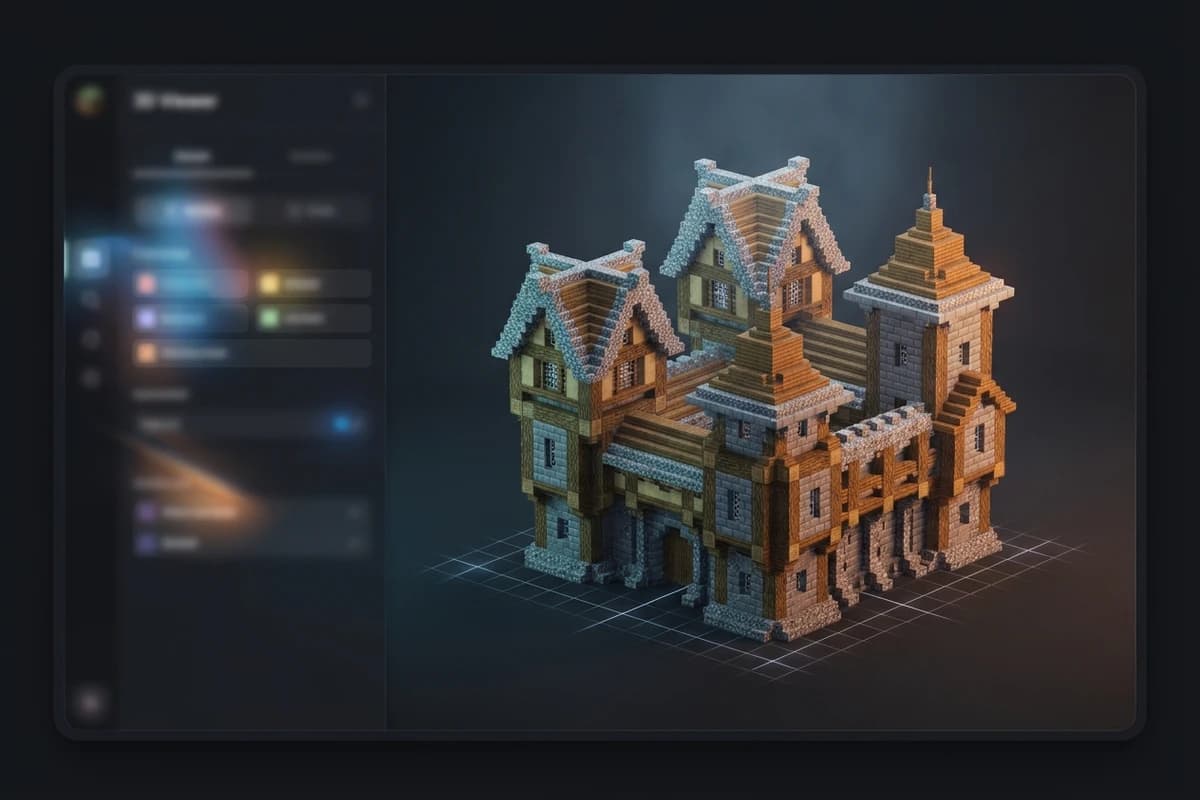
Timber-framed medieval Minecraft build displayed in a 3D schematic viewer

A new schematic each time

Your build is generated from your own image or prompt, not picked from a catalog.

Sponge v3 .schem

The current schematic format read by WorldEdit and FastAsyncWorldEdit.

Preview before download

Check every side and every room in 3D with the real Minecraft block models.

Free companion tools

OBJ to .schem conversion, a tree and rock generator and a viewer for .schem and .litematic files.

What an AI schematic generator produces

A schematic is a file that stores a region of blocks so it can be pasted somewhere else. The usual way to get one is to build something by hand and copy it, or to download a file from a schematic library. A Minecraft schematic generator skips both: you describe the build or show a reference image, and the file is created for you.

On Spaleforce, the AI starts from the floor plan and builds the structure, roofs, facades, furnished interiors, decor and terrain. Only real Minecraft blocks are used, with a coherent palette, and the build is assembled in stages so the export stays light. The output is one .schem you can drop into any world that runs WorldEdit or FAWE.

The .schem format (Sponge v3) in short

The .schem extension belongs to the Sponge schematic format, the one WorldEdit uses since Minecraft moved to named block states. It records the size of the region, a palette of block states and the blocks themselves. Because states are stored by name, a stair keeps its facing, a slab stays a top or bottom slab, and a lantern still hangs.

Generated files follow version 3 of that specification. The older .schematic extension comes from the MCEdit era and relies on numeric block IDs, which is why modern tools favor .schem.

Using a generated schematic with WorldEdit or FAWE

Pasting a generated build takes a few commands. On a server, the workflow looks like this:

If a paste lands in the wrong place, //undo reverts it. For large builds such as a full castle with its village, FastAsyncWorldEdit is a comfortable choice.

  • Copy the .schem into plugins/WorldEdit/schematics, or plugins/FastAsyncWorldEdit/schematics for FAWE.
  • Run //schem load followed by the file name.
  • Optionally rotate the clipboard with //rotate 90.
  • Stand where you want the build and run //paste, or //paste -a to skip air blocks.

Preview the schematic before you paste it

Downloading a file blind and pasting it into a live world is how builds end up buried in a hillside. Every generated schematic opens first in a 3D viewer that uses the real Minecraft block models, so you can orbit around it, look into the rooms and check the roof from above.

The viewer also replays the construction step by step, from the floor plan to the finished scene. It is a quick way to understand the layout before choosing where the build goes.

Litematica and other schematic formats

The build generator exports .schem. It does not export .litematic directly, so if your workflow is built around Litematica, plan for that.

Our free schematic viewer opens .schem, .litematic and .schematic files in the browser without an account, which helps when you are comparing files from different sources. And if you start from a 3D model rather than an idea, our free OBJ to .schem converter turns it into a build for WorldEdit and Litematica users.

Free tools around the schematic maker

A few free tools cover the jobs the AI generator does not:

If you would rather browse first, the Spaleforce marketplace lists more than 400 published builds.

  • OBJ to .schem converter: turn a 3D model into a Minecraft build.
  • Tree and rock generator: more than 100 parameters, exported as .schem.
  • Schematic viewer: open .schem, .litematic and .schematic files for free, no account needed.

How it works

  1. 1

    Describe or upload

    Write what the schematic should contain, or upload a reference image.

  2. 2

    Let the AI generate it

    Floor plan, structure, roofs, facades, interiors, decor and terrain, in real Minecraft blocks.

  3. 3

    Check it in 3D

    Inspect the build and replay its construction before downloading.

  4. 4

    Load and paste

    Download the .schem, then use //schem load and //paste.

Schematic ideas you can generate now

Floating island
A floating island with rocky cliffs underneath, a small stone and spruce cabin, a waterfall pouring off the edge, trees, flowers and hanging lanterns.
Minigame lobby
A minigame lobby with a central plaza, five arches leading to game areas, a leaderboard wall, benches, planters and warm lighting, in prismarine and white concrete.
Jungle temple
An overgrown jungle temple in mossy cobblestone with a stepped pyramid shape, a torch-lit inner chamber, vines on the walls and dense trees around it.
Modern office tower
A modern twelve-story office tower in glass and gray concrete, with a lobby on the ground floor, furnished office floors, a rooftop terrace and trees along the street.
Harbor
A small harbor with wooden docks, two moored boats, a fish market with stalls, a stone warehouse, cranes, barrels and lamps along the quay.

Frequently asked questions

What is a .schem file?

A .schem file stores a region of Minecraft blocks in the Sponge schematic format, the format used by WorldEdit. It keeps block states, so stairs, slabs and lanterns paste with the right orientation.

How do I load a schematic with WorldEdit?

Put the .schem in plugins/WorldEdit/schematics (or plugins/FastAsyncWorldEdit/schematics), run //schem load with the file name, then //paste where you want the build.

Can the generator export .litematic files?

No. The build generator exports .schem. Our free schematic viewer can open .litematic files, and the free OBJ to .schem converter is designed for WorldEdit and Litematica users.

Is the Minecraft schematic generator free?

You can start free with a Google account and no credit card. The free plan includes 5 AI generations or modifications per day, and there are no credits or tokens to buy.

Can I preview a schematic online?

Yes. Generated builds are shown in 3D before download, and our free viewer opens .schem, .litematic and .schematic files in the browser without an account.

Does it work with FastAsyncWorldEdit?

Yes. FAWE reads the same .schem format as WorldEdit, so you load and paste generated schematics with the same commands.

Generate your own schematic

Stop searching schematic libraries for something close enough. Describe the build or upload a reference, check it in 3D and paste the .schem. Free to start.

Generate a schematic

Updated September 17, 2026